Minecraft pose maker
Blockpose turns any Minecraft skin into a posed 3D character. Pick a ready-made pose or bend the head, arms and legs yourself, then save it as a PNG image.
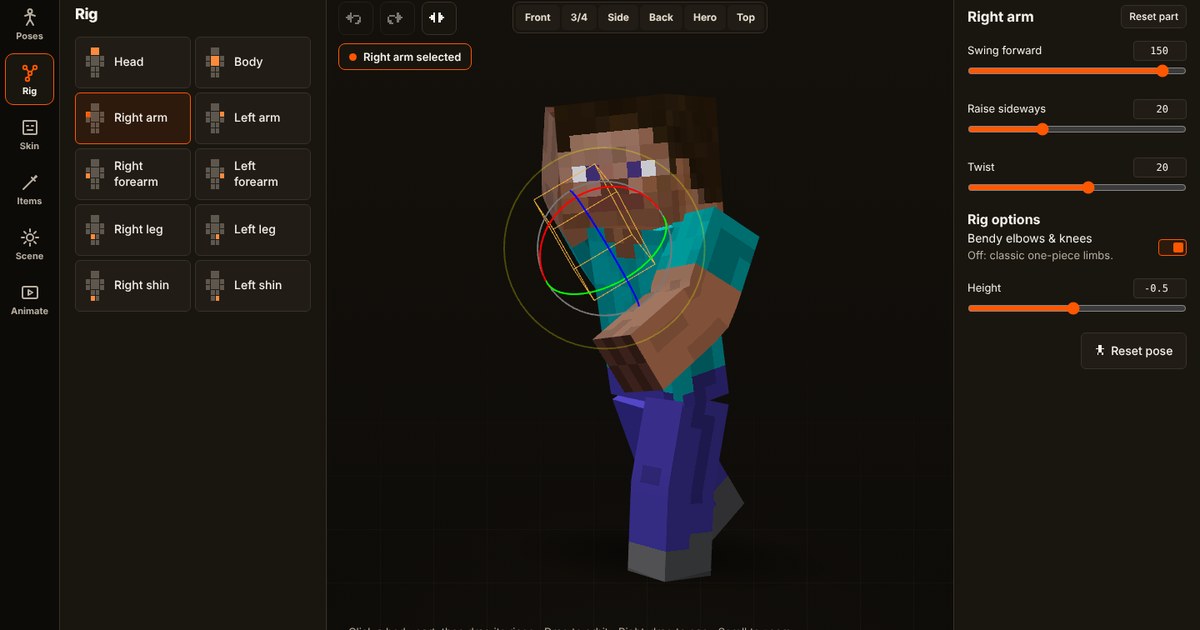
Pose a skin in four steps
- Load a skin. Upload a 64×64 skin PNG (old 64×32 skins work too), or type a Minecraft Java username and let Blockpose fetch it.
- Start from a preset. 47 poses, from wave and victory to sword swing, mining and hero landing, are one click away. A preset is a starting point, so change anything you like afterwards.
- Adjust each part. Click the head, body, an arm or a leg, then drag its rings or use the sliders. Use Mirror to swap left and right, and Undo to step back.
- Frame and export it. Pick a camera view and lighting, then open Export to choose a shape, size, background, outline or glow and download the image.
Tips for better poses
- Turn the camera. Drag empty space to orbit. A pose that looks flat from the front often reads better from a three-quarter angle.
- Lean the body a little. A slight tilt in the body makes a pose look like movement rather than standing still.
- Keep arms and legs uneven. Two limbs mirroring each other look stiff. Raise one arm higher than the other.
- Change the height. The height control makes a character shorter or taller, which helps when you are posing more than one skin for the same scene.
- Save poses you like. Name a pose and it is kept in your browser. Export saved poses to a file to back them up or share them.
Slim arms and classic arms
Minecraft skins come with two arm widths, 4 pixels (classic) and 3 pixels (slim). Blockpose picks the right one automatically by looking at the skin, and you can force either one with the arm buttons if a skin is detected wrongly.
What it costs
Nothing. Blockpose is free, needs no account, and your skin stays on your device while you work. See the privacy policy for the details.
Related: make a thumbnail with a transparent background and get a skin by username.
Try the tools
Pose editor
47 poses, camera views, lighting, outlines and glow. Export a cutout or any size.
Start posing → 2DThumbnail maker
Add your character, bold text, arrows and badges, then download 1280×720.
Make a thumbnail → SkinsSkin by username
Type a Java Edition username and the skin loads straight into the editor.
How it works →